
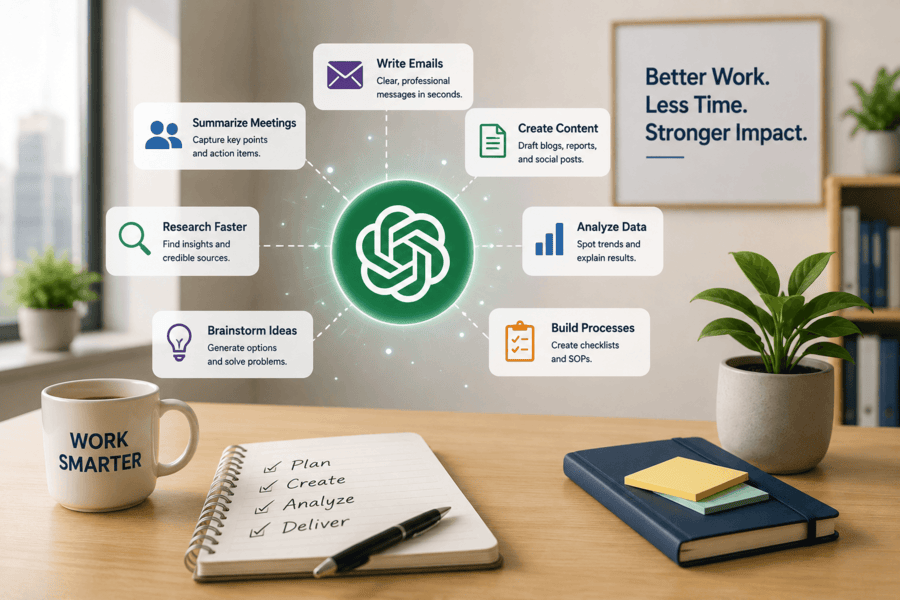
7 Ways to Use ChatGPT at Work
ChatGPT can help you write, plan, research, organize, and solve routine work problems. It works best with clear context, one defined task, and a useful output format.
Learning how to use ChatGPT at work does not mean giving every task to artificial intelligence. It means using AI as an assistant while you control the facts, choices, and final result.
Research shows why this skill matters. A controlled study published in Science found that ChatGPT reduced professional writing time by 40 percent. Average output quality also rose by 18 percent.
An NBER workplace study found that AI support raised customer service productivity by almost 14 percent.
This guide explains how to use ChatGPT at work through seven practical examples. You will also learn better prompting, safe data habits, fact-checking, and training options.
How to Use ChatGPT at Work Before You Start
ChatGPT can create a first draft, sort ideas, explain data, and suggest next steps. You remain responsible for checking the final answer.
A strong prompt gives the tool four things: the task, context, audience, and format. Add limits when they matter. You can request a word count, reading level, tone, deadline, or source list.
Use this prompt structure:
“Help me complete [task]. The context is [background]. The audience is [reader]. Create [format]. Follow these rules: [limits].”
This structure helps anyone learning how to use ChatGPT at work. It reduces vague answers and makes the result easier to review.
You can also show ChatGPT an example of the result you want. For example, share a sample email, report, or social media post. Ask it to follow the same structure without copying the text.
Do not expect the first answer to be perfect. Treat it as a working draft. Give clear feedback and ask for focused changes.
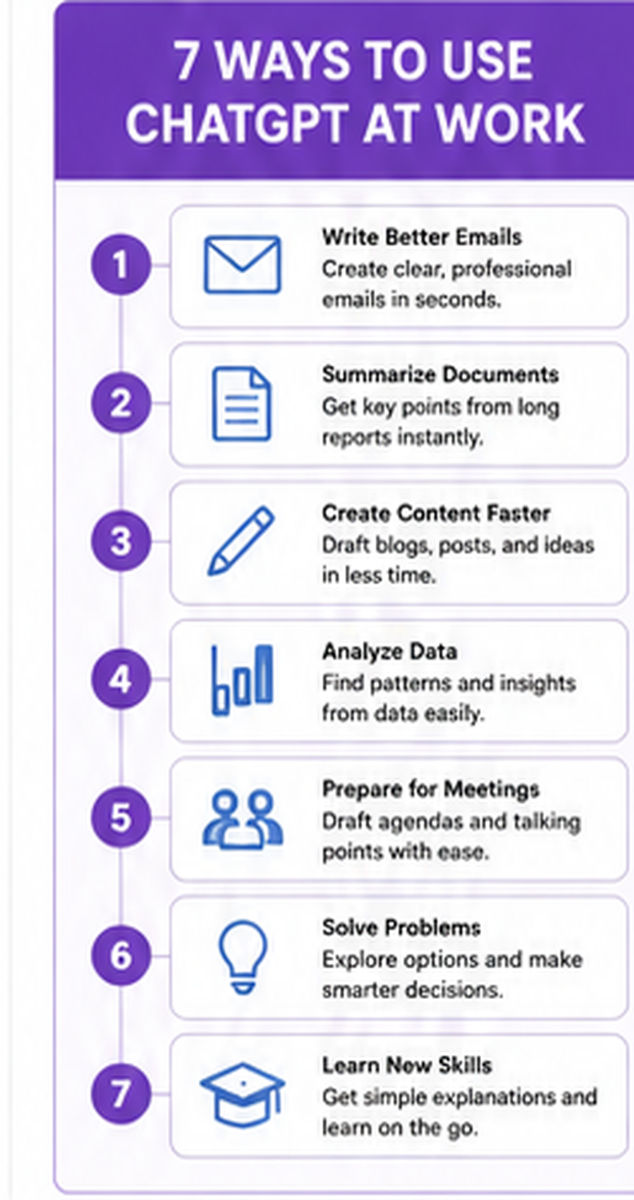
1. Draft and Improve Emails
Email takes time because each message needs accurate facts, the right tone, and a clear next step. ChatGPT can turn rough notes into a clean draft.
Share the purpose, reader, facts, and action needed. Remove private customer details unless your company has approved that tool and account.
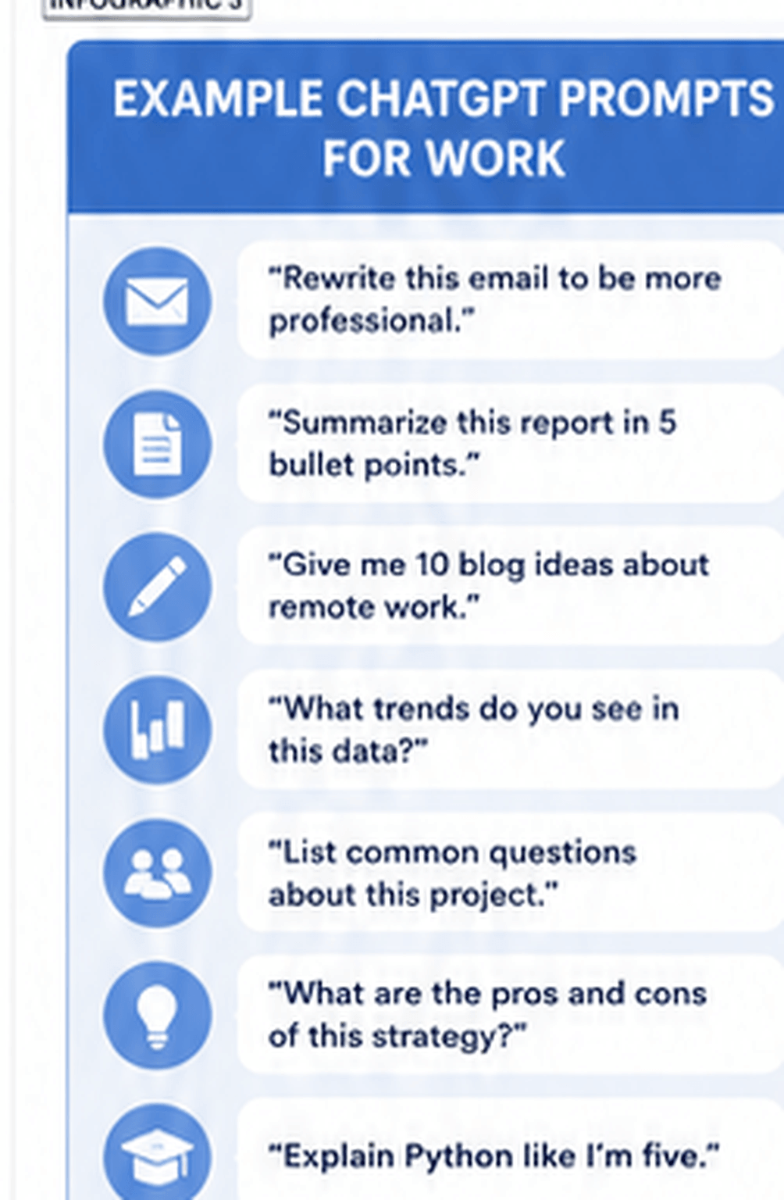
Try this prompt:
“Write a polite client email. Explain that the project date moved from August 3 to August 10. Testing needs more time. Apologize once and request confirmation.”
You can also paste your draft and request a rewrite. Tell ChatGPT to keep every fact unchanged.
This is an easy way to practice how to use ChatGPT at work because the output is simple to check. You already know what the message should say. ChatGPT helps improve the flow, tone, and structure.
You can ask ChatGPT to make an email:
- Shorter and more direct
- More polite
- More professional
- Easier to understand
- More suitable for a manager
- More suitable for a customer
- Less formal for a team member
Read every email before sending it. Confirm names, dates, prices, promises, attachments, and links. A smooth sentence can still contain a wrong fact.
You should also remove phrases that sound too formal or do not match your normal voice. The final email should still sound like you.
2. Summarize Meetings and Create Action Items
Meeting notes often mix decisions with side comments and repeated points. ChatGPT can turn approved notes into a short summary.
It can also list action items, owners, due dates, risks, and open questions.
Try this prompt:
“Summarize these notes under decisions, action items, owners, due dates, and open questions. Do not add facts. Mark missing details as ‘not assigned.’”
OpenAI includes meeting preparation and follow-up in its guide to practical ChatGPT uses for small teams.
When learning how to use ChatGPT at work for meetings, tell the tool not to invent missing details.
For example, do not let it assign a task to someone unless the notes clearly name that person. Ask it to mark missing owners and due dates instead.
Compare the summary with the source notes. Ask each owner to confirm their task and deadline.
ChatGPT can also help before a meeting. You can ask it to create:
- A meeting agenda
- Questions for attendees
- A list of decisions that need approval
- Talking points for a presentation
- A short background summary
- A follow-up email template
Do not upload a private recording without approval. Follow company rules for consent, privacy, security, and record storage.
3. Create First Drafts for Reports and Content
A blank page slows many people down. ChatGPT can create an outline, report structure, social post, training guide, or opening paragraph.
A marketing team can provide product facts, audience needs, brand rules, and a desired action. ChatGPT can then create first drafts for email, web, and social media.
Try this prompt:
“Create a 600-word article for small business owners. Explain three ways AI can reduce routine admin work. Use short sentences. Include headings, a checklist, and a closing action.”
The professional writing study found that ChatGPT helped people complete work sooner and raised average output quality.
Good how to use ChatGPT at work habits include strong editing. Check for false claims, repeated points, weak examples, and text that does not match your brand.
Add real proof before publishing. This may include:
- Customer examples
- Company data
- Research studies
- Quotes from experts
- Product details
- Links to trusted sources
ChatGPT can also turn one piece of content into several formats. For example, you can turn a blog into a LinkedIn post, email, video script, or social caption.
Try this prompt:
“Turn this blog into one LinkedIn post, one email, and a 30-second video script. Keep the main facts unchanged.”
This saves time, but each version still needs review. Social platforms have different audiences and content styles. Avoid posting the same copy everywhere without changes.
4. Research Topics and Prepare Better Questions
ChatGPT can help you understand a topic, compare ideas, define terms, and prepare questions for an expert.
It works well at the start of research because it maps what you need to learn.
Ask it to explain the topic at your level. Then request claims that need proof, useful search terms, and questions for an interview.
Try this prompt:
“Explain customer churn to a new marketing employee. Give one simple example. Then list five questions for our data team before we use churn data.”
OpenAI reports that search, data analysis, file uploads, and information retrieval are common ways employees use ChatGPT.
Learning how to use ChatGPT at work means knowing the difference between a useful lead and proven evidence.
ChatGPT may help you find topics to research. It should not be your only source.
Open each source and check:
- The date it was published
- The name of the author
- The company or group behind it
- Whether the claim appears in the source
- Whether newer research exists
- Whether another trusted source supports it
You can also use ChatGPT to prepare for a call with an expert.
Try this prompt:
“Create ten interview questions for a cybersecurity expert. The goal is to understand common risks for small businesses. Avoid questions that can be answered with yes or no.”
Use qualified experts for legal, medical, financial, safety, or policy decisions.
5. Analyze Data and Explain Trends
ChatGPT can help clean a table, suggest formulas, explain charts, find gaps, and turn results into plain language.
Upload an approved spreadsheet or paste a small set of non-sensitive data.
Start with a narrow question. Ask what changed, which group performed best, or where the largest gap appears. Tell the tool not to guess about causes.
Try this prompt:
“Review this campaign table. Calculate each channel’s conversion rate. Rank the channels. Describe three key changes. Separate facts from possible reasons.”
OpenAI’s small business guide includes data analysis, budgets, marketing work, meeting support, and vendor reviews among its suggested uses.
When practicing how to use ChatGPT at work with data, check every formula.
Compare totals with the source. Look for:
- Missing rows
- Duplicate records
- Mixed date ranges
- Wrong units
- Empty fields
- Incorrect labels
- Percentages that do not match totals
Never trust a finding only because it looks polished.
ChatGPT may notice that sales fell in June. It may not know why they fell. Ask it to separate the facts from possible causes.
A good prompt may say:
“Do not claim why performance changed. List possible reasons as questions that the team should investigate.”
A good analyst explains what the data proves and what it cannot prove.
6. Brainstorm Ideas and Compare Options
ChatGPT can suggest campaign themes, workshop topics, process fixes, interview questions, survey ideas, or product names.
Brainstorming works better when you provide limits.
A weak prompt asks for “good ideas.” A strong prompt explains the goal, audience, budget, deadline, and ideas already rejected.
Try this prompt:
“Suggest 12 webinar topics for U.S. professionals who want practical AI skills. Each topic must solve one work problem. Add a one-sentence promise and audience.”
Next, ask ChatGPT to compare ideas by cost, effort, risk, reach, and value.
A mature approach to how to use ChatGPT at work avoids one-answer thinking. Ask for three different paths. Request the strongest case for and against each option.
Try this prompt:
“Compare these three campaign ideas. Score each one from one to five for cost, effort, risk, and possible reach. Explain every score.”
AI can increase idea output, but other users may receive similar suggestions. Add customer insight, team knowledge, and original examples.
You can also improve ideas through several rounds.
Start by asking for 20 ideas. Choose the strongest five. Then ask ChatGPT to improve those ideas based on your budget and audience.
The value comes from combining AI suggestions with your own knowledge.
7. Build Checklists, Templates, and Work Processes
Many work tasks follow the same steps. ChatGPT can turn a process into a checklist, template, script, or standard operating procedure.
Start with rough notes. Ask ChatGPT to sort them and mark inputs, decisions, outputs, owners, and quality checks.
Try this prompt:
“Turn these notes into a weekly website checklist. Group tasks under content, links, forms, analytics, and approval. Add an owner and proof field. Do not create new rules.”
This example shows how to use ChatGPT at work for repeat tasks.
The checklist must match the real process. Test it with the person doing the task.
Remove steps that add no value. Add controls for errors that happen often.
ChatGPT can help create templates for:
- Weekly reports
- Project updates
- Customer follow-ups
- Quality checks
- Employee onboarding
- Content approvals
- Campaign launches
- Website reviews
- Sales call notes
You can also ask ChatGPT to identify missing steps.
Try this prompt:
“Review this process and list any points where a mistake could happen. Do not change the process. Suggest one check for each risk.”
A written process makes work easier to repeat. It also helps new employees understand what needs to happen.
How to Use ChatGPT at Work with Better Prompts
Clear prompts reduce editing time and show ChatGPT what success looks like.
Use this method:
Goal
State the exact task.
Instead of saying, “Help with a report,” say, “Write a 300-word weekly report using these results.”
Context
Share only the needed background.
Explain what happened, why the task matters, and what information the tool should use.
Audience
Name who will read or use the result.
A report for a CEO will sound different from a guide for a new employee.
Format
Request headings, a table, steps, bullets, or another structure.
A clear format makes the output easier to review.
Checks
State what the tool must verify or avoid.
For example:
“Do not add new facts. Keep all dates unchanged. Mark any missing information.”
After the first answer, request changes in small steps. Ask for shorter sentences, clearer examples, stronger proof, or a new format.
A key part of how to use ChatGPT at work is judging the output. Ask whether it is true, complete, useful, on-brand, and safe to share.
How to Use ChatGPT at Work Without Risking Data
Never paste private work data into a personal AI account without permission.
Private data can include:
- Customer records
- Passwords
- Contracts
- Source code
- Pricing plans
- Employee reviews
- Payment details
- Medical records
- Unreleased results
- Private business plans
Use company-approved AI tools and policies.
OpenAI states that its business products do not use organization data for model training by default. It also states that business data is encrypted at rest and in transit.
The NIST AI Risk Management Framework provides guidance for managing privacy, security, accuracy, and other AI risks.
Safe how to use ChatGPT at work practices include access rules, data limits, source checks, clear owners, and review steps.
When unsure, remove names and private details or use sample data.
For example, replace a real customer name with “Customer A.” Replace a real sales figure with a sample number when the exact figure is not needed.
Ask your security, legal, or management team before sharing protected information.
How to Use ChatGPT at Work When Answers May Be Wrong
ChatGPT can produce an answer that sounds sure but contains wrong, old, or invented information.
Every important result needs review.
Ask for sources, dates, assumptions, and calculations. Then check them yourself.
Confirm:
- Links
- Quotes
- Names
- Numbers
- Dates
- Product facts
- Laws
- Research claims
- Company policies
The safest how to use ChatGPT at work process matches the review level to the risk.
A social caption may need a quick check. A contract, health answer, forecast, or compliance decision needs expert review.
You should also watch for bias. ChatGPT may repeat common views while missing another side of the issue.
Ask it to show different views and explain where experts disagree.
Try this prompt:
“Explain the main arguments for and against this plan. Do not choose a side. State what evidence would help us decide.”
Why Training Improves How to Use ChatGPT at Work
Daily practice can teach shortcuts, but structured training builds a wider skill set.
A strong program covers prompt design, AI limits, data use, ethics, work projects, and job-based tools.
People often ask how to choose an AI bootcamp. Start with your career goal.
Check the course outline, projects, weekly workload, instructor access, career support, and entry rules.
You should also ask whether the course teaches practical tools. Look for projects that reflect real work tasks.
“What is the best AI bootcamp for me?” depends on your target work.
A data path suits people who enjoy patterns, charts, and business questions.
A software path suits people who want to build AI systems.
A project path suits people who manage plans, teams, budgets, and delivery.
A design path suits people who want to improve user research, testing, and digital products.
When asking which AI bootcamp should I take, choose the program that teaches the tasks you want to perform after graduation.
WorkForce Institute Learning Paths
WorkForce Institute’s micro-course catalog provides focused courses and full learning paths.
Learners can start with one course, combine courses from different categories, or expand their learning path later.
The catalog supports people exploring how to use ChatGPT at work before choosing deeper training.
Review these full programs:
Generative AI Data Analyst Bootcamp
The Generative AI Data Analyst Bootcamp helps learners build skills in artificial intelligence, data analysis, machine learning, and visualization.
It is suited to people who want to use data to answer business questions. Learners complete projects that can help show their skills to employers.
This program is also a strong option for beginners. No prior AI, data, or coding background is required.
AI for Software Engineers Bootcamp
The AI for Software Engineers Bootcamp is designed for people who want to build AI-powered software.
The program covers large language models, retrieval-augmented generation, cloud tools, projects, and capstone work.
It may suit software professionals who want to add AI skills to their current work.
AI-Powered Project Manager Bootcamp
The AI-Powered Project Manager Bootcamp focuses on using AI to support project planning and delivery.
Learners explore project methods, prompt skills, AI reports, workflow support, simulations, and practical use cases.
This path may suit current project managers, team leads, and professionals who want to manage work more effectively.
AI-Enhanced UI/UX Design Bootcamp
The AI-Enhanced UI/UX Design Bootcamp teaches research, wireframes, prototypes, testing, portfolio projects, and AI design tools.
It may suit creative people who want to design useful digital products and improve user experiences.
Digital Marketing Bootcamp
The Digital Marketing Bootcamp covers search, social media, content, paid ads, analytics, and campaign planning.
It may suit marketing professionals, business owners, and career changers who want practical online marketing skills.
The best online AI bootcamp for career change should include guided practice and proof of skill.
WorkForce Institute programs include practical projects, instructor support, and career services.
An AI bootcamp for working professionals must fit around a job. Several WorkForce Institute programs use part-time online formats.
A part-time online AI bootcamp lets learners build skills without leaving their current position.
A beginner-friendly AI bootcamp should teach core ideas before advanced tasks.
The Generative AI Data Analyst Bootcamp is one option for people with no prior AI, data, or coding experience.
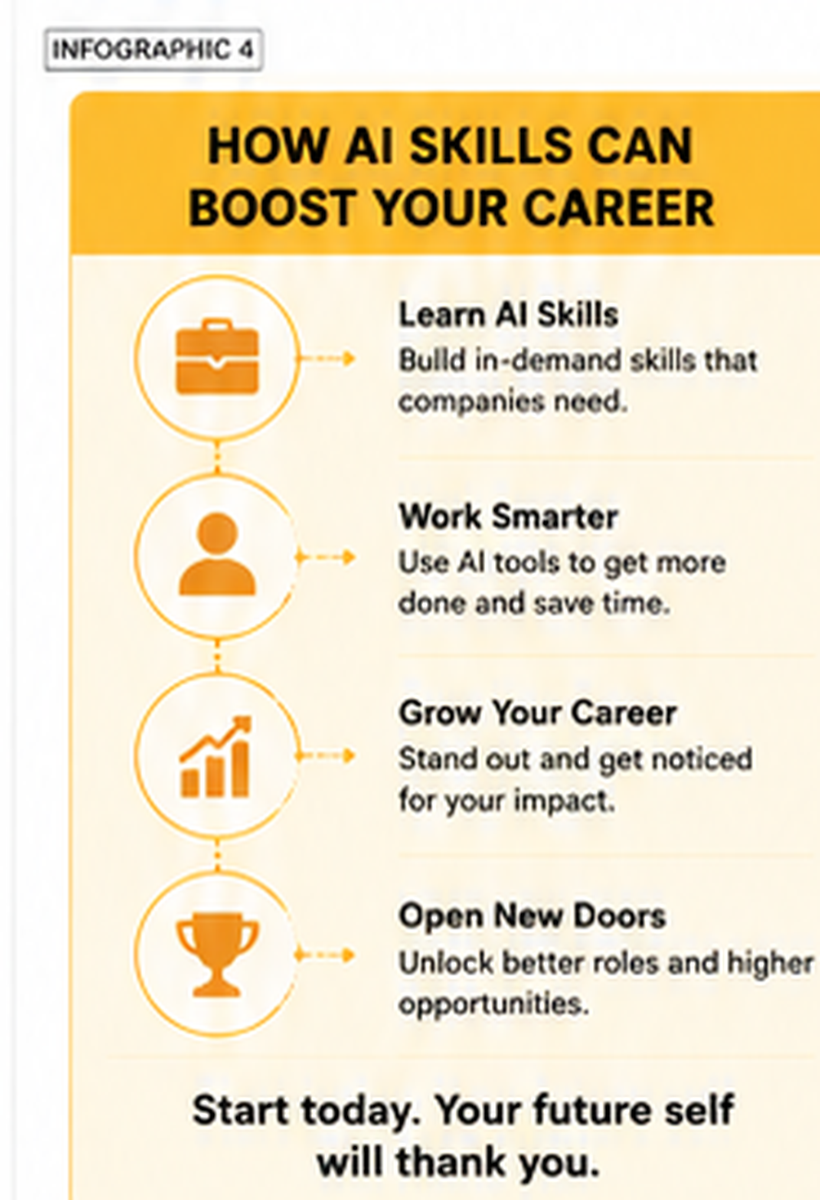
Start with One Useful Task
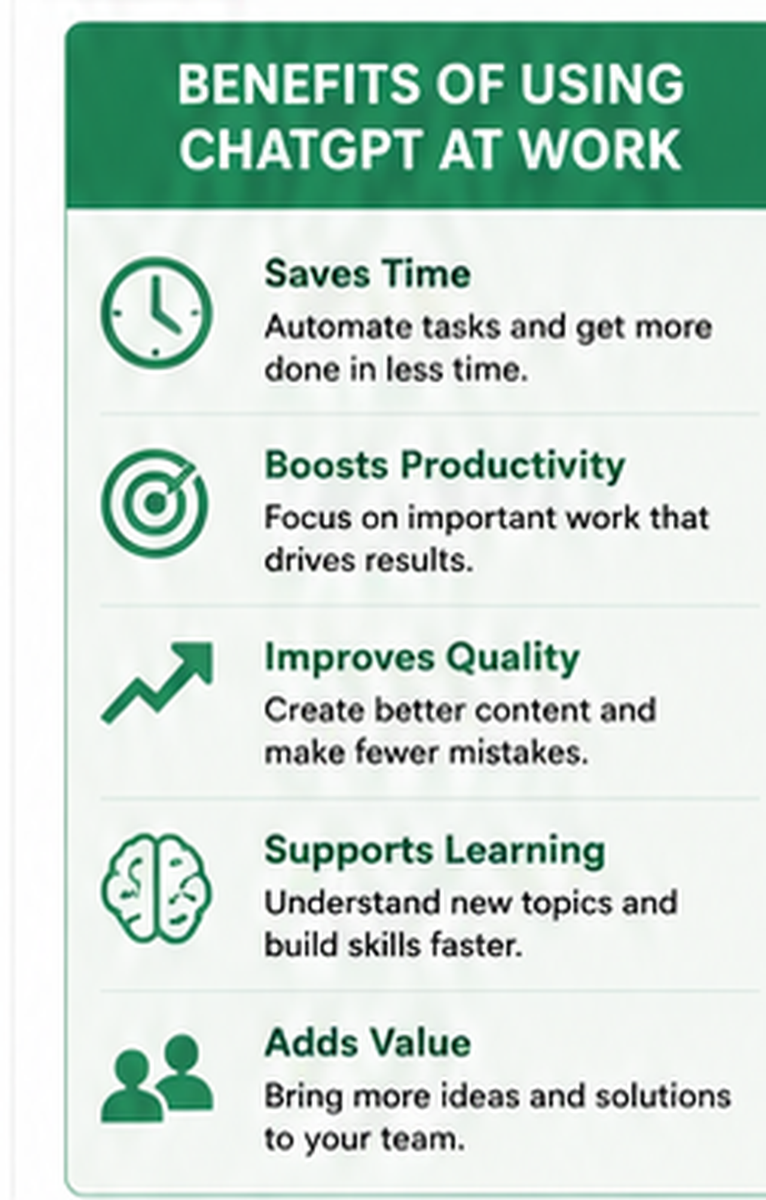
You now know seven ways to use ChatGPT: email drafting, meeting summaries, content creation, research, data review, brainstorming, and process design.
Each starts with a clear goal and ends with human review.
The value of how to use ChatGPT at work comes from pairing AI skills with job knowledge.
ChatGPT can speed up parts of a task. You provide the context, proof, judgment, and final choice.
Start with one low-risk task this week.
Save the prompt, review the answer, and improve the process. Then choose training that matches your career goal.
Explore WorkForce Institute’s micro-courses for a focused first step.
When you are ready for deeper training, enroll in the WorkForce Institute bootcamp that matches your career path.
Build practical AI skills, complete real projects, and prepare to use AI with purpose at work.