

How UX/UI Designers Can Use AI Tools in 2026
UX/UI designers are using artificial intelligence to research users, create early concepts, write interface copy, and test product ideas. AI can reduce repetitive work, but it does not replace the judgment needed to create useful digital products.
Designers still need to understand user needs, business goals, visual rules, accessibility, and product behavior. AI simply gives them new ways to complete parts of the design process.
Taking an AI UX design course can help new and working designers use these tools with purpose. The right training should combine design basics with practical AI skills, projects, feedback, and portfolio development.
This guide explains how UX/UI designers can use AI tools in 2026. It also answers common questions about choosing a bootcamp, changing careers, and learning while working.
Why AI Skills Matter for UX/UI Designers
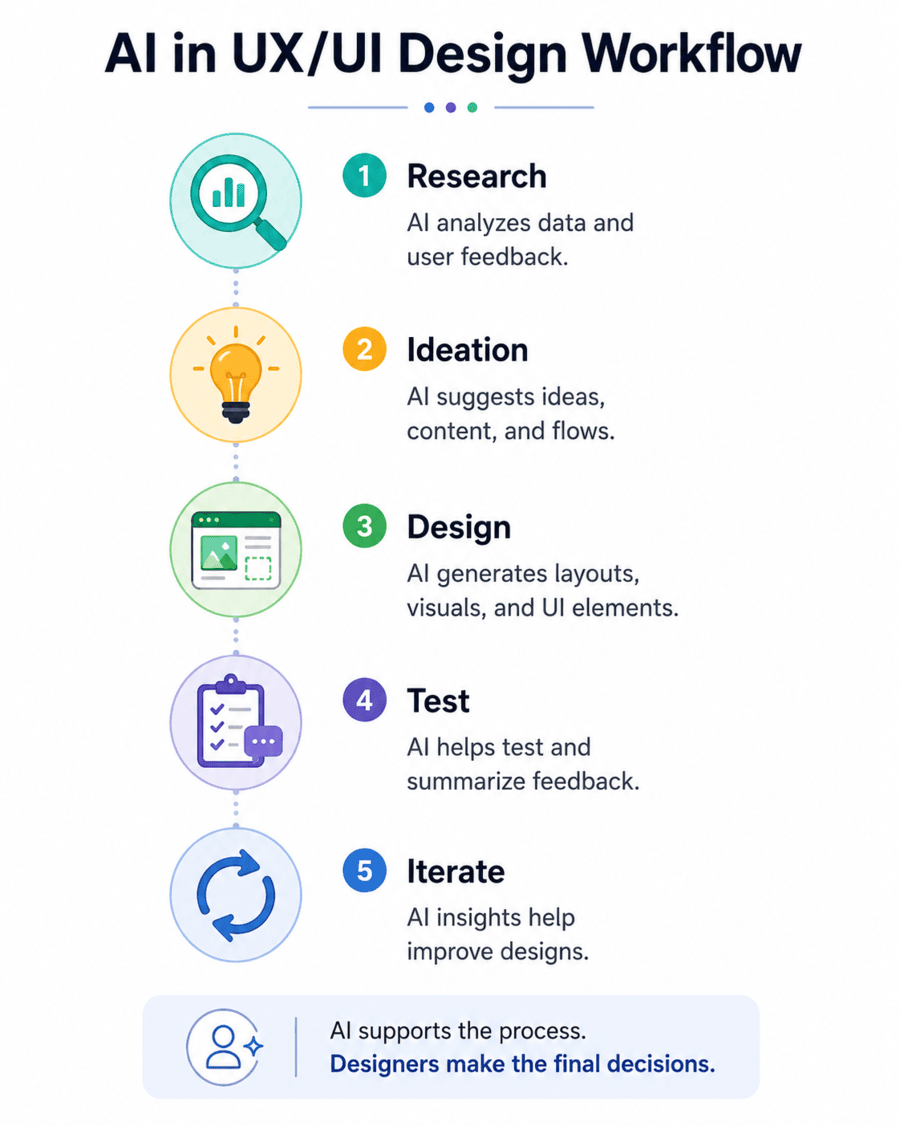
AI tools are now built into many platforms used by design teams. They can generate layouts, rewrite text, summarize interviews, organize research notes, edit images, and create early prototypes.
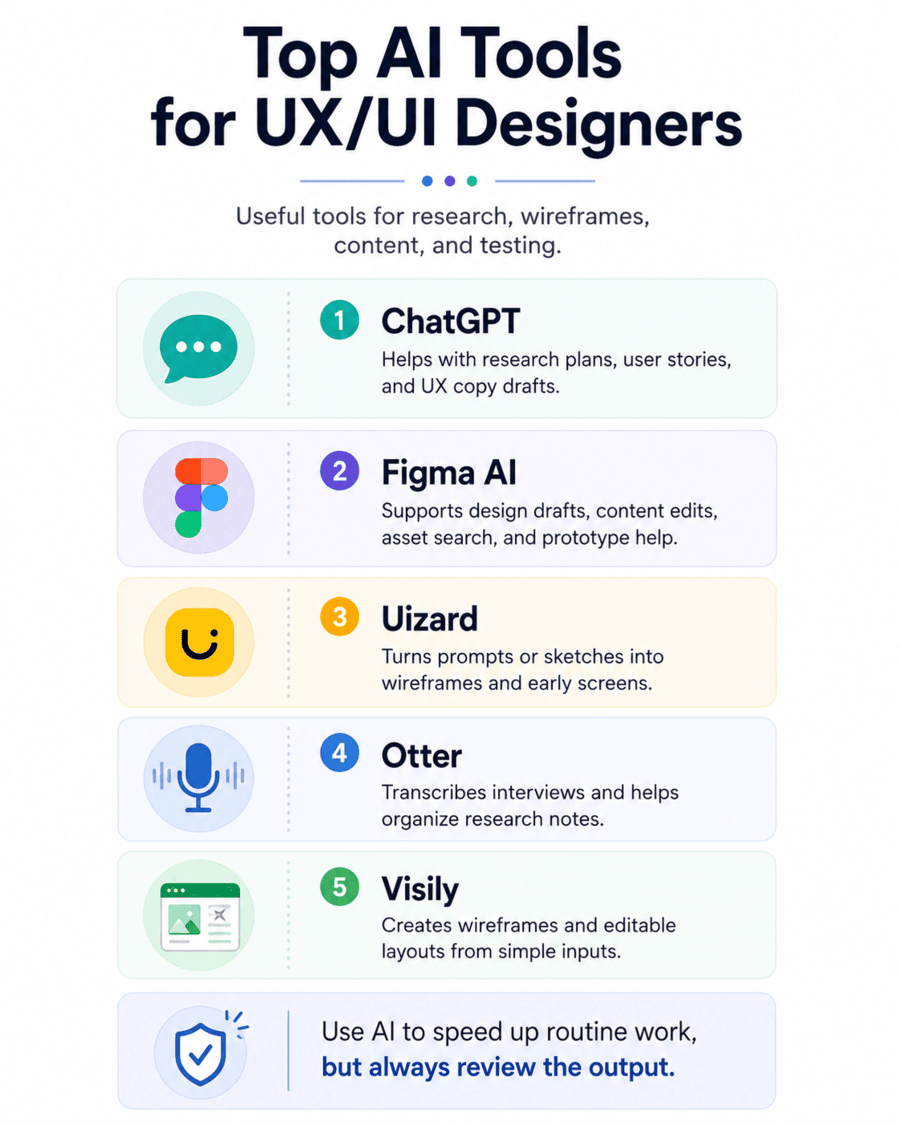
Figma, for example, offers AI features that can assist with visual concepts, content changes, asset searches, and prototype development. Uizard allows users to generate editable, multi-screen prototypes from simple text prompts.
These tools can help a designer reach a first draft sooner. However, the first result is rarely ready for users.
A designer must still check the information structure, page flow, visual hierarchy, accessibility, and clarity. Every AI output should be treated as a starting point.
An AI UX design course teaches students how to use AI without becoming dependent on it. Students learn when AI can save time and when human research or manual design is required.
Demand for digital design skills also remains strong. The U.S. Bureau of Labor Statistics projects seven percent employment growth for web developers and digital designers between 2024 and 2034.
1. Use AI to Plan User Research
Good UX design starts with research. Designers need to understand what users want, what causes frustration, and what prevents them from completing tasks.
AI can help a designer prepare for research by drafting:
- Research goals
- Interview questions
- Survey questions
- Participant profiles
- Discussion guides
- Observation sheets
- Research timelines
For example, a designer could explain a product and its target user to an AI tool. The tool could then suggest questions for an interview.
The designer must review those questions before using them. Some questions may lead the participant toward a certain answer. Others may focus on features instead of real user behavior.
An AI UX design course should teach students how to recognize weak research questions. It should also teach them how to connect each question to a clear research goal.
Designers must protect private data when using AI. Names, email addresses, account details, health information, and private company data should not be uploaded without approval.
The WorkForce Institute AI-Enhanced UI/UX Design Bootcamp teaches AI-assisted research planning within a complete UX design process.
2. Summarize Interviews and Find Common Themes
User interviews can produce hours of recordings and many pages of notes. Reviewing this information takes time, especially when several people worked on the research.
Tools such as Otter can transcribe interviews and create searchable meeting notes. AI can then help organize cleaned transcripts into themes.
Explore Otter’s transcription tools
A designer might ask an AI tool to identify:
- Repeated user needs
- Common frustrations
- Current workarounds
- Important quotes
- Conflicting opinions
- Unanswered questions
- Possible design opportunities
The tool may find useful patterns, but the designer must compare each claim with the original research. AI can misunderstand a comment or give too much weight to one participant.
An AI UX design course should teach students how to review AI-generated themes against the evidence. Research findings should never be accepted only because an AI tool produced them.
WorkForce Institute students learn to use tools such as ChatGPT and Otter.ai during the research process. They then turn research findings into personas, user flows, wireframes, and tested design choices.
3. Build Research-Based Personas
Personas help design teams keep user needs in mind. They can include a user’s goals, behavior, tasks, challenges, and preferred ways of working.
AI can organize research findings into a clear persona format. It can also compare the needs of different user groups.
However, AI should not invent personal details that were never found during research. A persona should not include false income levels, hobbies, family details, or life stories.
An AI UX design course should teach designers to separate evidence from assumptions. Any unconfirmed detail should be marked clearly.
A useful persona might include:
- Main goals
- Common tasks
- Digital habits
- Key frustrations
- Accessibility needs
- Decision factors
- Current tools
- Important quotes
The persona should guide design choices. It should not become a decorative page that the team never uses again.
The WorkForce Institute bootcamp includes persona development after user research and before advanced interface design.
4. Turn Ideas and Sketches Into Wireframes
Wireframes show the structure of a page or screen before detailed visual design begins. They help teams discuss content, navigation, actions, and user flow.
AI wireframing tools can create early layouts from written prompts. Some tools can also turn paper sketches or screenshots into editable screens.
Uizard can generate multi-screen prototypes from simple text. It can also convert hand-drawn wireframes into editable digital designs.
Explore Uizard’s AI design tools
Visily can create wireframes from text, screenshots, and diagrams. Teams can then edit the layouts instead of starting from an empty screen.
Explore Visily’s wireframing tools
An AI UX design course should teach students how to write useful design prompts. A good prompt describes the user, goal, page type, key content, required actions, and screen size.
For example, “Create a dashboard” is too broad.
A better prompt would ask for a mobile dashboard for adult learners. It could include course progress, upcoming lessons, mentor messages, and a clear continue button.
AI may produce a useful first draft, but the designer must still check:
- Content order
- Navigation
- Page hierarchy
- Button placement
- Form structure
- Mobile behavior
- Error states
- Accessibility
The WorkForce Institute program teaches students how to move from paper sketches into digital wireframes with Uizard and Figma.
See the AI-Enhanced UI/UX Design Bootcamp
5. Generate and Compare Design Ideas
Designers often explore several possible solutions before choosing one. AI can help create different layout directions, content structures, or feature ideas.
A designer could ask AI to suggest three ways to organize a registration flow. The results might include a single-page form, a step-by-step process, and a conversational format.
The designer can then compare each option against user needs.
An AI UX design course should teach students to judge ideas based on evidence. A visually interesting concept is not useful when it makes the task harder.
AI can also support design workshops. It can group ideas, rewrite notes, summarize discussions, and create lists of possible solutions.
The designer still needs to decide which ideas should move forward. That decision should consider user value, business needs, technical limits, time, and risk.
6. Write Clear UX Copy
UX copy includes button labels, form instructions, menu items, error messages, alerts, and empty-state content.
Small wording changes can affect whether users understand what to do.
AI can draft several versions of a message. It can also shorten text, change the reading level, or adjust the tone.
For example, a weak error message might say:
“An unexpected error has occurred.”
A clearer message could say:
“We could not save your changes. Check your connection and try again.”
An AI UX design course should teach students to write clear copy before asking AI to improve it. Designers need to understand the user’s task, likely concern, and next action.
Figma’s AI tools can assist with rewriting, shortening, and translating text inside design files.
Learn more about Figma’s AI design features
Every message still needs human review. Legal statements, pricing, privacy notices, and policy content should also be checked by the correct team.
The WorkForce Institute curriculum includes AI-assisted prototype copy using ChatGPT and Figma tools.
7. Create Moodboards and Visual Concepts
Moodboards help teams explore the visual direction of a product. They may include color ideas, typography, images, textures, shapes, and interface examples.
AI image tools can create visual concepts from written prompts. They can also remove backgrounds, extend images, and test several art directions.
Adobe Firefly offers tools for generating and editing images, adding or removing objects, and creating visual variations.
An AI UX design course should teach students to use generated visuals carefully. Designers need to check tool terms, image rights, brand rules, and possible bias.
AI-generated images may include:
- Incorrect text
- Distorted hands or faces
- Unrealistic products
- Unfair portrayals
- Brand conflicts
- False user situations
Generated people should not be presented as real customers or research participants.
AI images can be useful during early exploration. Final product assets should still meet the project’s quality, legal, and accessibility requirements.
8. Build Interactive Prototypes
A prototype allows people to experience a product flow before development begins. Users can click buttons, move between screens, and attempt key tasks.
AI can help connect screens or suggest common interactions. It may also create code-backed prototypes from a prompt or existing design.
An AI UX design course should teach students that interaction design includes more than linking screens.
A complete prototype may need:
- Loading states
- Empty states
- Error messages
- Confirmation screens
- Back navigation
- Form validation
- Keyboard controls
- Mobile behavior
- Disabled buttons
- Success messages
Figma supports interactive prototypes and AI-assisted product creation. Designers can use these features to create early testable concepts.
The WorkForce Institute bootcamp covers paper prototypes, digital prototypes, Figma, interaction design, and responsive layouts.
9. Prepare and Review Usability Tests
Usability testing shows whether people can complete important tasks with a design. It helps teams find problems that may not be clear during internal reviews.
AI can help a designer draft:
- Test goals
- Participant tasks
- Moderator scripts
- Follow-up questions
- Observation templates
- Result summaries
An AI UX design course should teach students to write tasks that do not reveal the expected action.
For example, “Click the green payment button” is not a useful test task. It tells the participant exactly what to do.
A better task might say:
“You are ready to pay for your course. Show us how you would complete the purchase.”
AI can also help organize test notes after each session. It may group issues by frequency, task, or severity.
The designer must still review recordings and notes. AI cannot always understand hesitation, frustration, confusion, or body language.
10. Support Accessibility Reviews
Accessible design helps people with disabilities use websites, apps, and digital services.
AI can flag possible issues, but automated checks do not find every accessibility problem.
Designers should review:
- Color contrast
- Keyboard access
- Focus order
- Heading structure
- Form labels
- Error messages
- Text size
- Zoom behavior
- Motion
- Alternative text
- Screen reader output
An AI UX design course should include accessibility as part of the design process, not as a final check.
The Web Content Accessibility Guidelines provide standards for making digital content more accessible.
Review the Web Content Accessibility Guidelines
Testing with people who use assistive technology remains important. Their experience can reveal issues that an automated scanner misses.
11. Organize Design Systems and Figma Files
Design systems include reusable components, visual rules, spacing, colors, type styles, and interaction patterns.
AI can help designers rename layers, find repeated content, search for assets, and suggest component structures.
An AI UX design course should teach file organization because it affects teamwork and development handoff.
Useful design system elements include:
- Buttons
- Form fields
- Navigation
- Alerts
- Cards
- Modals
- Icons
- Color roles
- Spacing rules
- Type styles
- Component states
AI can help clean a file, but it cannot create the right product rules without clear direction.
Designers must decide when a component should be reused and when a new pattern is needed. They also need to document how each component works.
12. Improve Design-to-Development Handoff
AI tools can help turn designs into early front-end code. They can also produce design notes, component descriptions, and acceptance criteria.
This can improve communication between designers and developers. It does not remove the need for review.
An AI UX design course should help students understand how design choices affect development.
Designers should know how to explain:
- Responsive behavior
- Component states
- Spacing
- Content rules
- Error behavior
- User permissions
- Accessibility
- Animation
- Data requirements
Research published in 2026 found that design-to-code systems can produce strong visual results. However, the generated code can still struggle with responsive layouts and long-term maintenance.
Read the Figma2Code research paper
AI-generated code should go through the same testing, security, accessibility, and review process as human-written code.
What AI Cannot Replace in UX/UI Design
AI cannot replace human responsibility.
It does not attend user interviews with the same understanding as a trained researcher. It cannot fully judge social context, ethics, trust, or emotional impact.
An AI UX design course should teach students to challenge AI output.
Designers remain responsible for:
- Research quality
- User safety
- Privacy
- Accessibility
- Design choices
- Product clarity
- Ethical decisions
- Final quality
AI may suggest an attractive screen that does not solve the user’s problem. It may summarize research incorrectly or introduce bias.
The designer must ask whether the output is useful, supported by evidence, and safe for the intended user.
The National Institute of Standards and Technology provides an AI Risk Management Framework for addressing trust, privacy, transparency, and accountability.
How to Choose a Bootcamp for UX/UI Design
Many future students ask how to choose a bootcamp because programs can sound very similar.
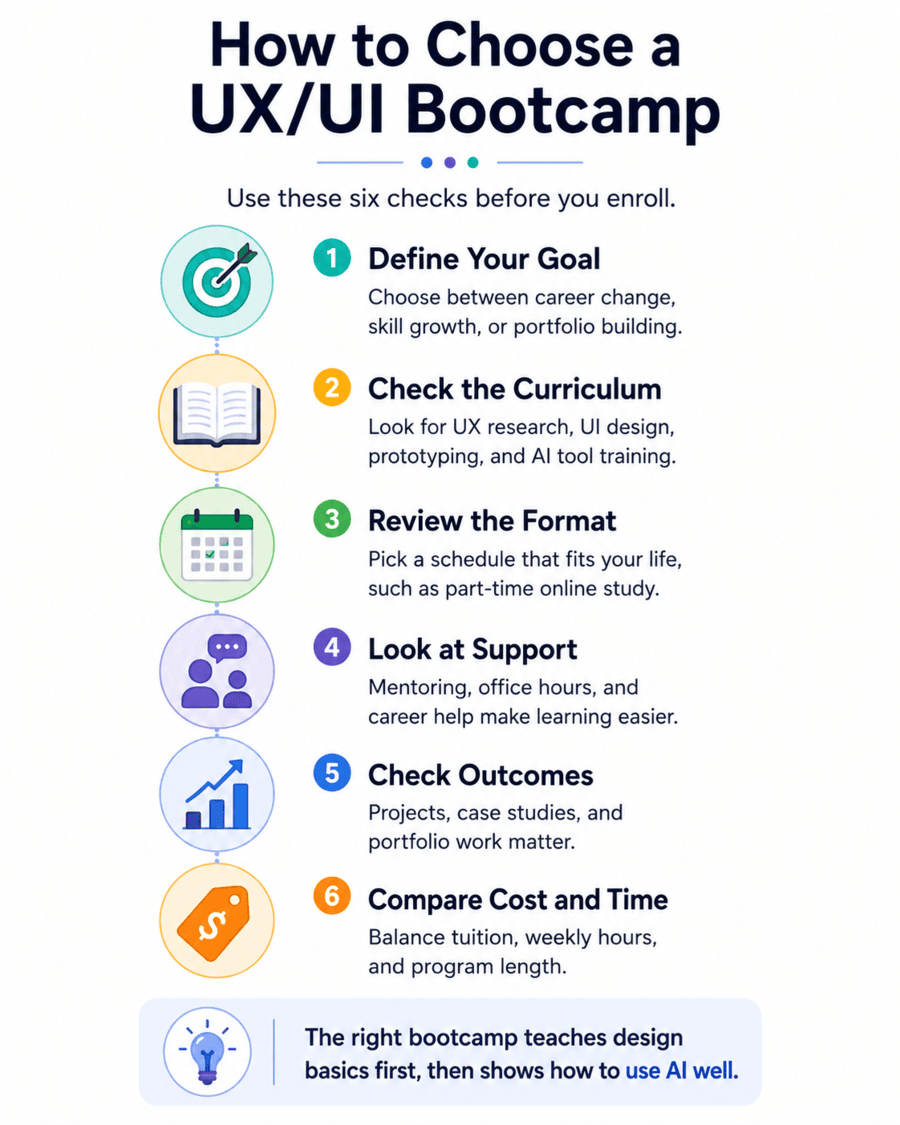
Start by reviewing the full curriculum. It should cover the complete design process, not only design software.
A strong AI UX design course should include:
- User research
- Personas
- Information architecture
- User flows
- Wireframes
- Visual design
- Responsive design
- Prototyping
- Usability testing
- Accessibility
- AI tools
- Portfolio projects
Next, check the course format. A bootcamp needs to fit your work, family, and weekly schedule.
You should also review the support offered. Mentoring, office hours, project feedback, career coaching, and portfolio reviews can improve the learning experience.
The WorkForce Institute AI-Enhanced UI/UX Design Bootcamp combines design foundations, AI tools, project work, mentoring, and career support.
Explore the AI-Enhanced UI/UX Design Bootcamp
Is This the Best Bootcamp for Me?
The answer depends on your goal, schedule, current skills, and preferred way of learning.
People who search for the “best bootcamp for me” should first decide what they want to achieve.
The WorkForce Institute program may be a strong match when you want to:
- Start a UX/UI design career
- Add design skills to your current role
- Learn Figma and AI design tools
- Build a portfolio
- Complete practical projects
- Study online
- Receive mentor support
An AI UX design course should prepare you to explain your design choices. Employers need to see more than polished screens. They want to understand your research, process, testing, and final decisions.
The WorkForce Institute bootcamp includes portfolio work and practical projects that show how students approach design problems.
See whether the program fits your goals
Which Tech Bootcamp Should I Take?
People asking “which tech bootcamp should I take?” should compare the daily work behind each career.
Choose UX/UI design when you enjoy:
- Learning about users
- Solving product problems
- Organizing information
- Creating visual systems
- Testing ideas
- Improving websites and apps
- Working with product teams
Data analysis may suit people who prefer reports, trends, dashboards, and business data.
Digital marketing may suit people interested in search, advertising, content, social media, and campaign results.
An AI UX design course is a good option for people who enjoy both creative work and structured problem-solving.
The WorkForce Institute program also teaches how AI can support the design process without replacing human judgment.
Best Online Bootcamp for a Career Change
The best online bootcamp for a career change should give you more than recorded lessons.
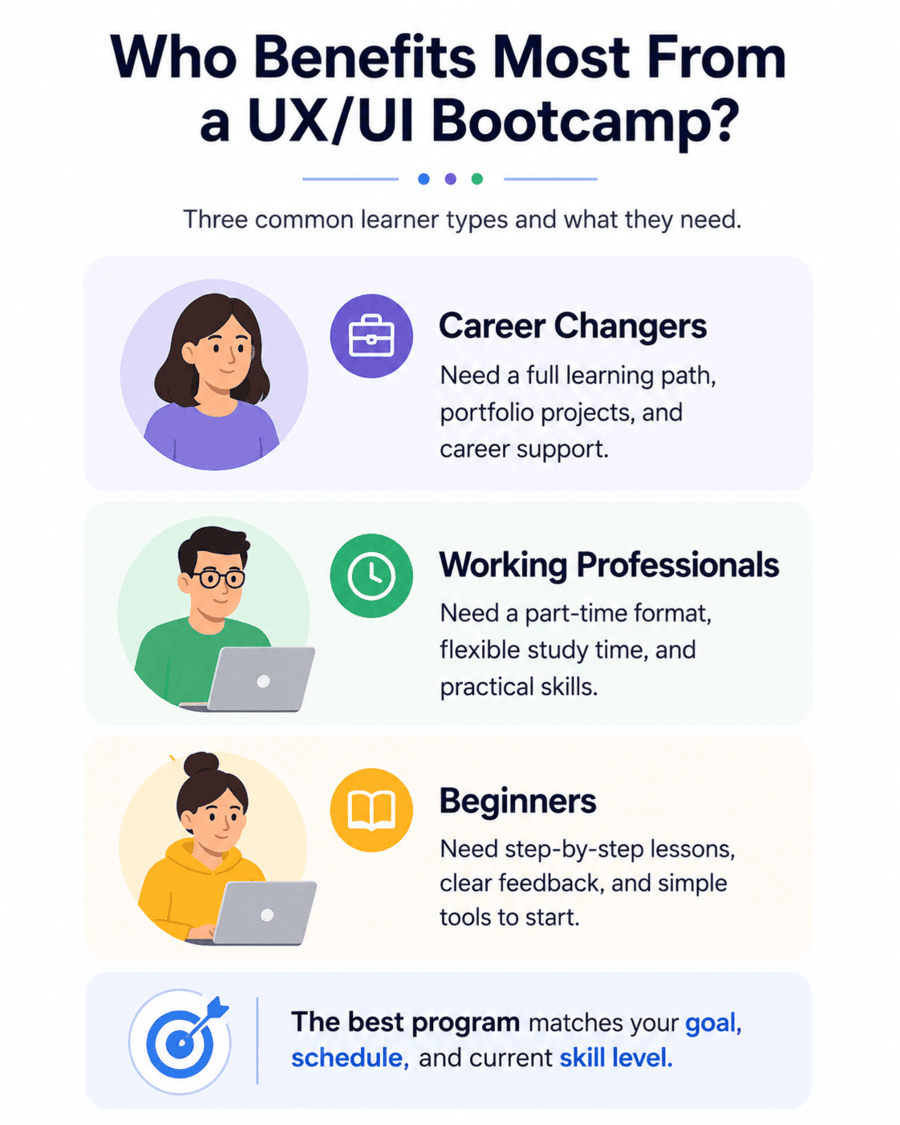
Career changers need a clear learning path, practical assignments, feedback, portfolio projects, and career support.
An AI UX design course should also help you explain how your past experience connects with UX/UI design.
A teacher may bring research and communication skills. A marketer may understand customer behavior. A project manager may already know how to work with teams and deadlines.
The WorkForce Institute bootcamp supports career changers through online learning, project work, career coaching, resume help, and portfolio guidance.
A Bootcamp for Working Professionals
A bootcamp for working professionals needs a schedule that can fit around a job.
A part-time online bootcamp allows learners to study without leaving their current role. However, students still need regular time for lessons, projects, and practice.
The WorkForce Institute program is delivered online and follows a part-time format. The 24-week structure gives students time to practice design skills across several projects.
An AI UX design course should not rush students through tools. Learners need enough time to research, create, test, revise, and explain their work.
Mentoring and office hours are also valuable for working professionals. They provide a place to ask questions when a lesson or project becomes difficult.
A Beginner-Friendly Bootcamp
A beginner-friendly bootcamp should not assume that every student already understands UX terms or design software.
The course should begin with the role of a UX/UI designer, the design process, user research, and basic visual design.
Students can then move into wireframes, Figma, responsive layouts, prototypes, testing, and AI tools.
An AI UX design course should teach design basics before advanced automation. Without those basics, students may not know when an AI-generated design is weak.
The WorkForce Institute bootcamp accepts learners without prior UX/UI experience. It provides a structured path from basic concepts to advanced project and portfolio work.
Why Choose the WorkForce Institute AI-Enhanced UI/UX Design Bootcamp?
The WorkForce Institute AI-Enhanced UI/UX Design Bootcamp brings the main skills discussed in this guide into one learning path.
Students learn user research, personas, information architecture, wireframes, visual design, Figma, responsive layouts, prototypes, and usability testing.
The program also introduces AI-assisted workflows with tools such as ChatGPT, Otter.ai, Uizard, Visily, Notion AI, and Figma plugins.
An AI UX design course becomes more useful when students apply each tool to real project work. WorkForce Institute students complete practical assignments, career simulations, and portfolio projects.
The bootcamp is:
- Fully online
- Part time
- Beginner friendly
- Built for career changers
- Suitable for working professionals
- Focused on practical projects
- Supported by mentors and career services
Instead of taking separate courses for research, Figma, AI tools, and portfolio development, students can follow one structured program.
Prepare for UX/UI Design in 2026
AI is changing how designers move from research to finished products. It can organize information, create early layouts, draft interface copy, and support prototype development.
The strongest designers will not be those who accept every AI result. They will be those who ask good questions, review the evidence, test their ideas, and improve their work.
An AI UX design course can help you build these habits while learning the tools used by modern design teams.
The WorkForce Institute bootcamp provides a complete path for beginners, career changers, and working professionals. You can learn design foundations, apply AI tools, complete practical projects, and build a portfolio.