
Benefits of AI in UX Design: Use Cases, Tools, and Examples
Create Account
Have an account? Login
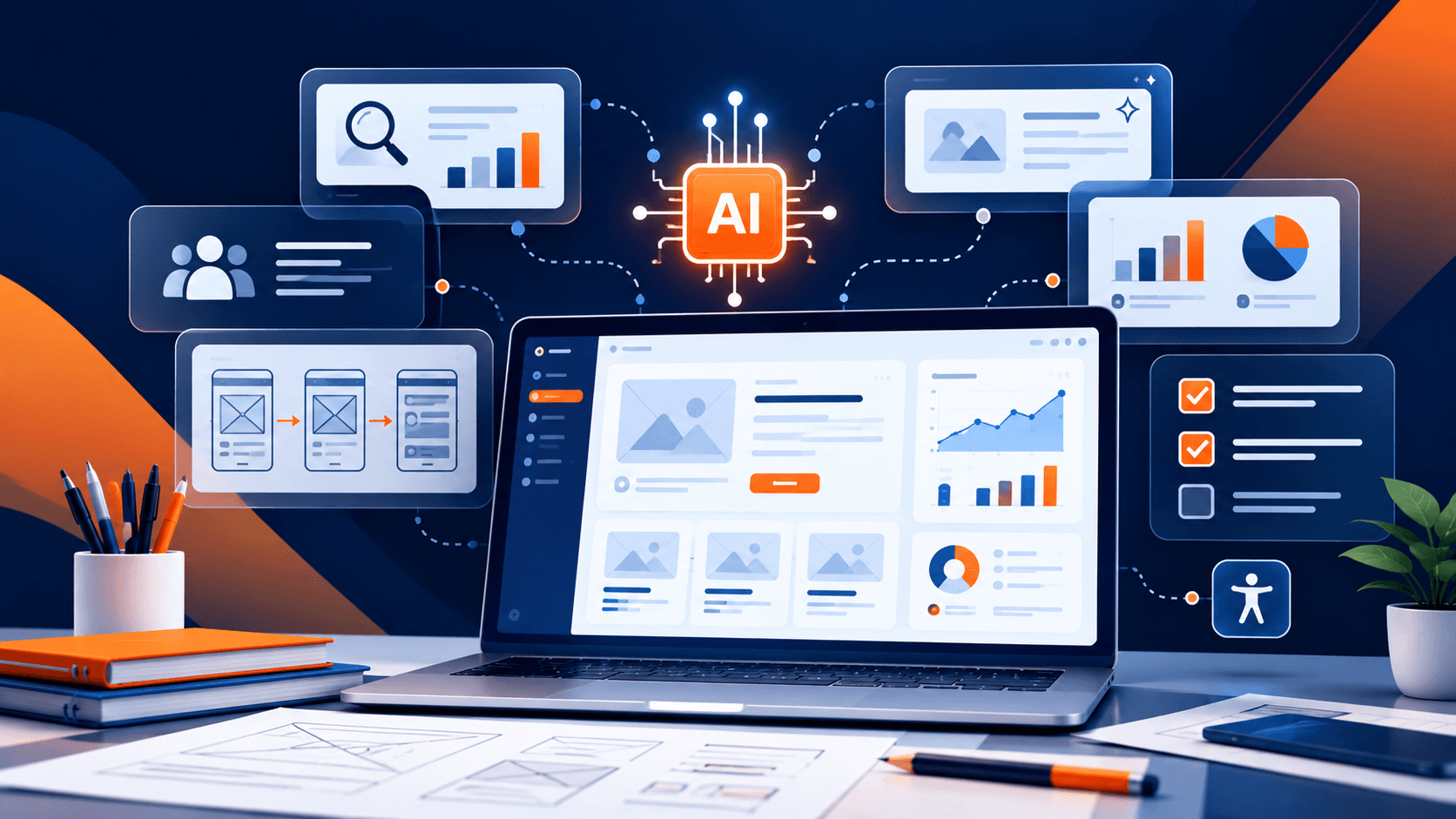
Artificial intelligence is changing how designers research users, develop ideas, test interfaces, and improve digital experiences. AI-powered tools can help UX professionals analyze information, explore design alternatives, and complete repetitive tasks more efficiently.
However, AI is not a replacement for understanding users. Successful user experience design still depends on empathy, critical thinking, accessibility, and informed design decisions.
In this guide, we'll explore the benefits of AI in UX design, practical use cases, tools designers can consider, and how AI can support the design process while keeping users at the center.
What Is AI in UX Design?
AI in UX design refers to using artificial intelligence technologies to support the process of researching, designing, evaluating, and improving user experiences.
Designers can use AI to summarize user feedback, identify patterns in research data, generate interface ideas, create initial prototypes, and support usability testing. Some tools also offer personalization, accessibility assistance, and automated analysis of user interactions.
AI can help designers explore possibilities and process information, but its recommendations still need to be reviewed. Designers must consider user needs, business objectives, technical limitations, and the context in which a product will be used.
Why Is AI Becoming Important in UX Design?
UX design involves understanding user behavior, identifying problems, exploring solutions, and testing whether those solutions work. These activities often require reviewing large amounts of information and repeating tasks throughout the design process.
AI can support these activities by helping designers organize information, generate alternatives, and identify areas that deserve further investigation. This can make certain parts of the workflow more efficient and give designers additional time to focus on decisions that require human judgment.
AI is particularly useful when it supports a clear design objective rather than being introduced simply because a tool is available.
Benefits of AI in UX Design
1. Faster User Research and Feedback Analysis
User research can produce interviews, surveys, customer reviews, support messages, and usability-testing notes. Reviewing all this information manually can take considerable time.
AI tools can help organize research data, summarize recurring themes, and suggest patterns for further investigation. Designers can use these summaries to identify potential user frustrations, common requests, and areas where an interface may need improvement.
For example, a UX team reviewing customer feedback for an online learning platform might use AI to group comments related to navigation, course discovery, and registration problems.
AI-generated summaries should be checked against the original research. Important user comments, minority perspectives, and unusual experiences should not be overlooked simply because they appear less frequently.
2. Improved UX Personalization
AI can help digital products adapt content, recommendations, or interface experiences to different user needs and behaviors.
For example, an online learning platform might recommend courses based on a learner's interests, previous activity, or stated goals. A shopping platform might organize product suggestions according to relevant customer preferences.
Personalization can make an experience more relevant when it is based on appropriate information and gives users reasonable control over their preferences.
Designers should also consider privacy, transparency, and fairness. Personalization should not create confusing interfaces, hide important choices, or make assumptions that users cannot correct.
3. Faster Prototyping and Design Exploration
AI-powered design tools can help designers generate initial layouts, explore interface concepts, and create draft content or visual elements.
This can be useful during the early stages of a project, when a team wants to compare different approaches before investing time in a detailed design.
For example, a designer developing a course registration interface could use AI to explore different ways to organize course information, navigation, and registration steps.
Generated concepts should be treated as starting points. Designers still need to evaluate hierarchy, consistency, usability, accessibility, and the product's actual requirements.
4. Support for Usability Testing
AI can help UX teams organize usability-testing notes, identify repeated observations, and summarize issues that participants encounter during a task.
For example, if several participants struggle to find a checkout button or understand a registration step, AI-assisted analysis may help the team recognize that the interface deserves further review.
AI may also support the preparation of test scenarios or draft research questions. However, it cannot automatically determine whether a design works well for every user or situation.
Designers should validate AI-generated findings against actual participant behavior and direct feedback.
5. Better Accessibility Support
AI-powered tools can assist designers with accessibility-related tasks such as drafting image descriptions, identifying possible contrast issues, checking content readability, or reviewing interface elements for common problems.
These capabilities can help teams identify issues earlier in the design process and make accessibility checks easier to incorporate into regular workflows.
However, automated accessibility checks do not replace comprehensive testing. Designers should also consider keyboard navigation, screen-reader behavior, clear instructions, understandable error messages, and the needs of people with different disabilities.
6. More Efficient Design Workflows
UX teams often perform repetitive tasks such as organizing research notes, drafting interface text, preparing design documentation, and creating initial content variations.
AI can help with these tasks by producing drafts, organizing information, and assisting with routine documentation.
For example, a designer may use an AI assistant to draft several versions of a button label or summarize a design meeting. The designer can then review the output for clarity, accuracy, tone, and consistency.
Automating routine work can free up time for research, collaboration, and evaluating the overall user experience.
7. Better Collaboration and Design Communication
AI can support communication between designers, developers, product managers, and business stakeholders by helping prepare summaries, explain design concepts, and organize project information.
It can also help designers create alternative explanations for technical or design decisions, making discussions more accessible to people who do not have a UX background.
AI-generated documentation should still be reviewed to ensure it accurately represents the team's decisions and requirements.
Practical Use Cases of AI in UX Design
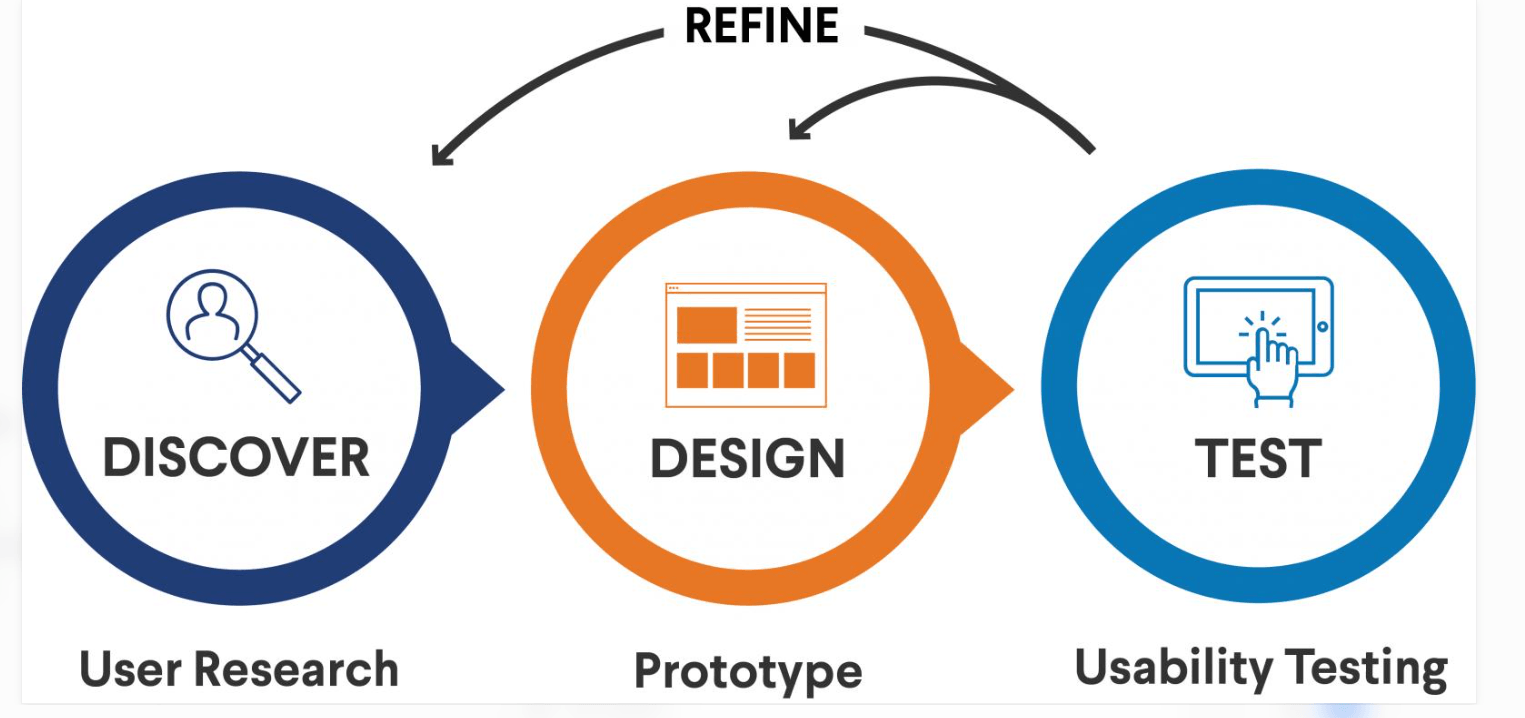
The following examples show how AI can support different stages of the UX design process.
| UX activity | How AI can help | Example |
|---|---|---|
| User research | Organize feedback and identify recurring themes | Group customer comments about confusing navigation |
| Design exploration | Generate initial concepts and interface alternatives | Explore different layouts for a course dashboard |
| Personalization | Support relevant content and recommendations | Suggest learning resources based on user preferences |
| Usability testing | Summarize observations and highlight possible issues | Identify repeated difficulties during registration |
| Accessibility | Assist with checks and content suggestions | Draft image descriptions and review readability |
| Design documentation | Draft summaries and organize project information | Prepare a summary of design feedback |
These examples describe possible applications, not guaranteed outcomes. The usefulness of AI depends on the quality of the information provided, the tool's capabilities, and the designer's review.
AI Tools UX Designers Can Explore
Different AI tools support different parts of the UX workflow. The most suitable choice depends on your design process, team requirements, budget, and privacy policies.
AI Assistants for Research and Content
Tools such as ChatGPT can help designers organize research notes, brainstorm questions, draft interface content, and summarize information provided to them.
For example, a designer could ask an AI assistant to suggest alternative wording for a confusing instruction or help organize feedback into themes. The designer should verify the suggestions against the original user research.
AI-Powered Design and Prototyping Tools
Some design platforms offer AI-assisted features for generating interface concepts, exploring layouts, or creating initial design assets.
These features can help designers move from an idea to a draft more quickly. The resulting designs still need to be refined and tested for usability, accessibility, and consistency with the product's design system.
Analytics and Testing Tools
UX analytics and research platforms may offer automated summaries, pattern detection, or assistance with interpreting user behavior.
These capabilities can help teams investigate potential problems, but designers should avoid treating automated observations as proof of user intent. Behavioral data should be considered alongside qualitative feedback and direct testing.
Before adopting a tool, review its features, limitations, data-handling policies, and compatibility with your team's workflow.
AI in UX Design: A Practical Example
Imagine a team designing an online learning platform. Users report difficulty finding suitable courses and completing registration.
The UX team could use AI to support the investigation in the following ways:
Step 1: Organize User Feedback
The team reviews customer feedback, survey responses, and usability-testing notes. AI can help group the comments into themes such as course discovery, confusing navigation, and registration errors.
Step 2: Identify Problems to Investigate
Designers examine the grouped feedback and compare it with actual user behavior. They determine which problems are supported by evidence and which require additional research.
Step 3: Explore Interface Alternatives
The team uses AI-assisted design features to generate initial ideas for course filters, clearer navigation, and a simplified registration interface.
Designers refine these concepts according to user needs, accessibility requirements, and the platform's technical constraints.
Step 4: Test the Designs
The team tests the updated interface with representative users. AI may help organize observations, but designers evaluate whether participants can complete the intended tasks and understand the interface.
Step 5: Improve the Experience
Based on the evidence, the team makes further adjustments and monitors the experience after implementation.
This example illustrates how AI can support the design process while research, validation, and final decisions remain grounded in actual user needs.
Limitations of AI in UX Design
Although AI offers useful capabilities, designers should understand its limitations before incorporating it into their workflows.
AI Can Produce Inaccurate Results
AI-generated summaries, recommendations, and design concepts can contain errors or unsupported assumptions. Designers should verify important findings against original research and reliable information.
AI Does Not Automatically Understand User Needs
AI can identify patterns in available data, but patterns alone do not explain every user motivation or experience. Direct research and usability testing remain important for understanding context.
Bias and Representation
AI systems may reflect biases in their training data or the information provided to them. Designers should consider whether suggestions exclude or disadvantage particular user groups.
Privacy and Data Security
User interviews, customer feedback, and behavioral data may contain sensitive information. Teams should follow applicable privacy requirements and organizational policies when using AI tools, and avoid submitting confidential data to services that are not approved for that purpose.
Accessibility Requires Human Review
Automated checks can identify some accessibility problems, but they cannot guarantee that an interface is usable by everyone. Designers should combine automated checks with appropriate manual testing and feedback from users with disabilities.
How to Start Using AI in Your UX Design Workflow
If you're a UX designer or aspiring designer, you can begin exploring AI without changing your entire workflow at once.
- Start with a clear task: Choose a specific activity such as organizing feedback or drafting interface text.
- Use appropriate information: Provide relevant context while following privacy and security requirements.
- Review the output: Check AI suggestions for accuracy, usefulness, accessibility, and bias.
- Test with users: Validate design decisions through research and usability testing.
- Evaluate the result: Determine whether AI genuinely improves the workflow or user experience.
For a broader look at how designers are using AI tools, read WFI's existing article, How UX/UI Designers Use AI Tools in 2026.
If you're ready to develop your UX/UI skills, explore WorkForce Institute's UI/UX Design program to learn more about the program and how it can support your design journey.
Frequently Asked Questions
What are the main benefits of AI in UX design?
AI can help designers organize user research, explore interface concepts, support personalization, summarize usability-testing observations, assist with accessibility checks, and streamline routine design tasks. The value depends on the task and the quality of human review.
Will AI replace UX designers?
AI can automate or assist with some design activities, but UX design also requires understanding user needs, interpreting context, making design decisions, and validating experiences. Designers who learn to use AI responsibly can incorporate it into their workflows while continuing to develop essential UX skills.
How is AI used in UX research?
AI can help summarize interview notes, organize survey responses, identify recurring themes, and prepare research documentation. Designers should verify the findings against the original data and avoid overlooking individual user experiences.
Can AI improve website usability?
AI can help identify potential usability problems, suggest interface alternatives, and organize testing observations. Actual improvements need to be evaluated through appropriate user testing and evidence.
Do UX designers need coding skills to use AI tools?
Not necessarily. Many AI-assisted design and research tools can be used without programming. However, technical knowledge can be useful for designers working with complex products, data, or AI integrations.
What should designers consider before using AI with user data?
Designers should consider privacy, consent, data sensitivity, organizational policies, and the tool's data-handling practices. Confidential user information should only be processed through approved systems and workflows.
Conclusion
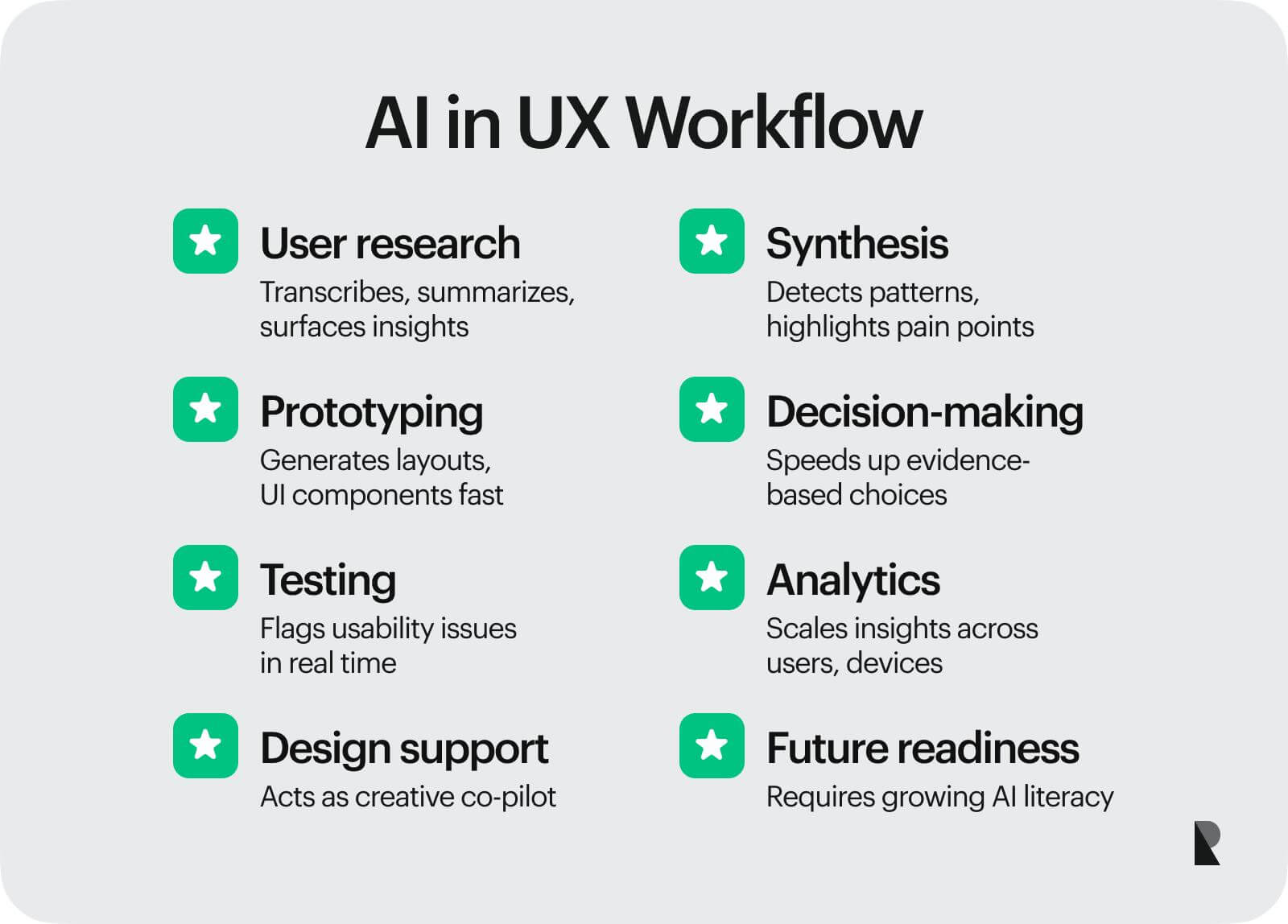
AI offers UX designers new ways to organize research, explore ideas, analyze feedback, and support design workflows. These capabilities can help teams work more efficiently and investigate user experience problems with greater flexibility.
However, AI is most useful when it supports thoughtful design rather than replacing it. User research, critical thinking, accessibility, and testing remain essential for creating experiences that genuinely meet people's needs.
By learning how to evaluate AI tools, verify their outputs, and apply them to meaningful design tasks, UX professionals can develop practical skills for working in an increasingly AI-supported design environment.